Every website starts on shared hosting. Almost every website that succeeds eventually leaves it. The hard part is knowing which of those two sentences applies to you today — because moving too early means paying three times as much for capacity you will not touch for a year, and moving too late means losing customers to a loading spinner.
This guide settles it. Not with marketing adjectives, but with the actual mechanics: what shared hosting and VPS hosting really are under the hood, what each one costs over a full year, where each one breaks, and the specific signals that tell you the day has come. By the end you will know which one you need and, if it is a VPS, exactly how much VPS to buy.
The short answer, before the long one
If your site is a blog, a portfolio, a small business brochure site or a new project under roughly 20,000 visits a month, shared hosting is the correct choice and anyone pushing you toward a VPS is selling you something. It will be fast enough, it will cost you a few dollars a month, and nothing about running it will land on your desk.
If you run an online store, a membership or booking site, an application, several client websites, anything that needs software a control panel will not install, or anything where a slow afternoon costs you real money — you want a VPS, and you probably wanted one some months ago.
Everything below is the reasoning behind those two paragraphs, plus the parts nobody mentions until after you have bought.
What shared hosting actually is
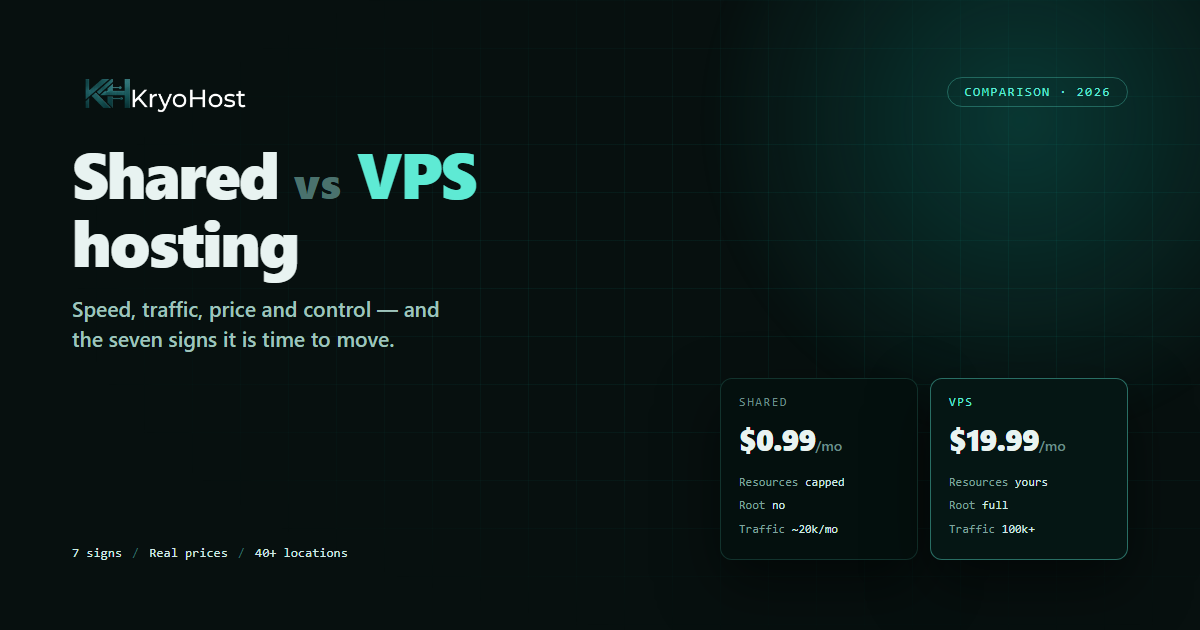
A shared hosting account is a folder on a server that is also running several hundred other websites. You get a slice of that machine's CPU, memory and disk, a control panel to manage it, and a promise from the host that the slices will be fairly distributed.
That promise is the whole product, and it is usually kept. Modern shared hosting is far better than its reputation — our own shared plans run LiteSpeed on NVMe storage with per-account resource limits, which is a different world from the oversold cPanel boxes people remember from a decade ago.
What you genuinely get:
- Price. Real hosting from $0.99/mo, which is less than the domain name costs.
- Nothing to maintain. The operating system, the web server, PHP, MySQL, the firewall and the security patches are all somebody else's job.
- A control panel. cPanel installs WordPress in two clicks, issues SSL certificates, creates email accounts and restores backups without a single command.
- Email included. Mailboxes on your own domain, which on a VPS is a genuinely difficult thing to run well.
What you give up:
- Your resources are not reserved. They are capped, which is not the same thing. A busy neighbour can still make the disk and the database slower for everyone.
- Hard ceilings. Entry processes, concurrent connections, CPU seconds, inode counts. Hit one and the server returns an error instead of a page — even though the site itself is perfectly healthy.
- No root access. You run what the panel offers. No Node.js version of your choosing, no Redis, no custom Nginx rules, no Docker, no background workers.
- One location. You take the data centre the plan is in, wherever your visitors happen to live.
What a VPS actually is
A VPS — Virtual Private Server — is a slice of a physical server that has been fenced off rather than shared. The hypervisor assigns you dedicated vCPU cores, dedicated RAM and dedicated NVMe disk, and no other customer can reach into them. From inside, it behaves exactly like a machine of your own: your own operating system, your own IP address, and root access to every part of it.
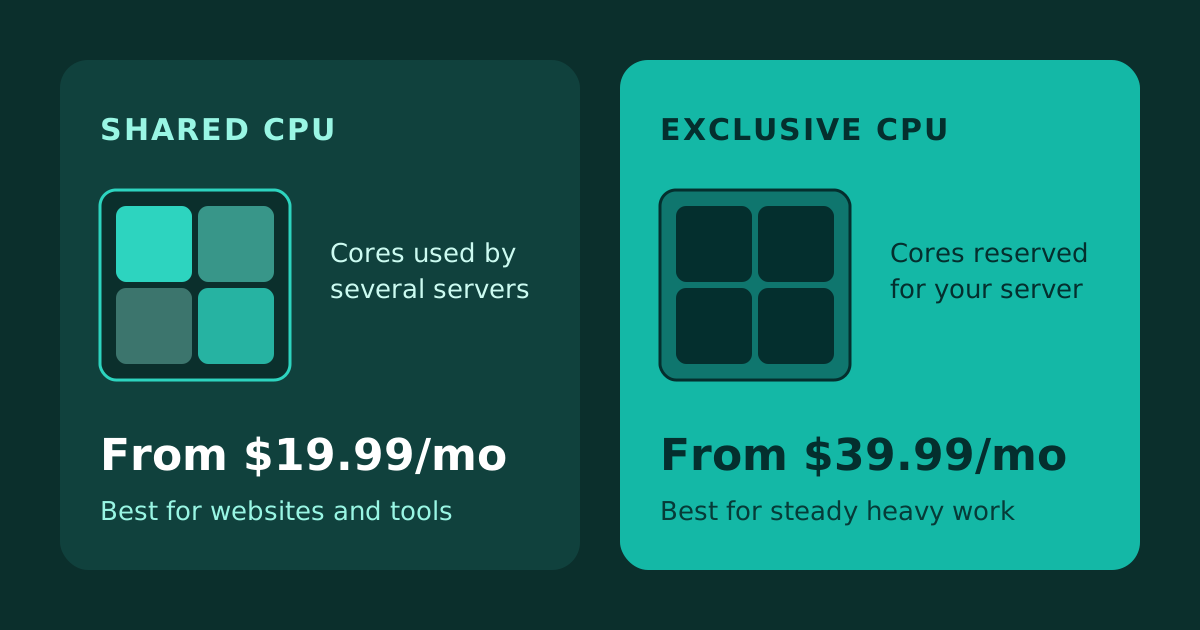
The difference that matters is not raw speed. It is predictability. On shared hosting, your site's performance on any given Tuesday depends partly on what four hundred strangers are doing. On a VPS, 4 GB of RAM is 4 GB of RAM at nine in the morning and at nine at night, whatever anybody else is running.
What you gain:
- Reserved resources. Your cores and your memory, always, with nobody else drawing on them.
- Root access. Install anything — Node.js, Python, Redis, Docker, a game server, a custom mail stack, your own build pipeline.
- Real traffic headroom. A modest 2-core VPS with caching in front of it will serve a well-built WordPress site through tens of thousands of visits a day without noticing.
- Choice of location. This is the one advantage people consistently underrate, and we come back to it below.
- Your own IP. Your email reputation and your SEO are not affected by whoever else is on the box, because nobody else is.
What you take on:
- Administration. On an unmanaged VPS, updates, firewall, backups and the web server are yours. Budget an hour a month once it is set up.
- Cost. Our VPS plans start from $14.99/mo, depending on the location — roughly fifteen times entry-level shared hosting, though as you will see below, that comparison is misleading.
- A learning curve. Not a steep one, but a real one. If you have never opened a terminal, our step-by-step VPS setup guide walks the entire process line by line.
Side by side
| | Shared Hosting | VPS Hosting |
|---|
| Starting price | $0.99/mo | From $14.99/mo |
| Resources | Shared pool, capped per account | Dedicated vCPU, RAM and NVMe |
| Root access | No | Yes, full |
| Install your own software | Only what the panel offers | Anything that runs on Linux or Windows |
| Traffic it handles | Comfortable to ~20,000 visits/mo | Hundreds of thousands, with caching |
| Noisy neighbours | Possible | Not possible |
| IP address | Shared with other sites | Your own dedicated IPv4 |
| Choice of country | Whatever the plan is in | 40+ locations worldwide |
| Who maintains the server | Us, entirely | You — or us, if you add our managed option |
| Email hosting | Included and working | You set it up, or use a mail provider |
| Control panel | cPanel included | Your choice of panel, or none |
| Scaling up | Jump to the next plan | Add cores and RAM to the same server |
| Best for | Blogs, brochure sites, first projects | Stores, apps, agencies, serious traffic |
Seven signs you have outgrown shared hosting
You rarely get a warning email. You get symptoms. These are the ones that actually mean something, in the order they usually appear.
1. The dashboard is slower than the site
Visitors see cached pages; you see the raw truth. When wp-admin takes six seconds to load a post list while the homepage still feels fine, you are already over the CPU allowance and caching is the only thing hiding it.
2. "Resource limit reached" — the 508 error
The clearest signal there is. The server stopped your site because it used more than its share. One burst a month is bad luck; a weekly occurrence is a plan that no longer fits.
3. Traffic spikes take the site down instead of making you money
A newsletter goes out, a post is picked up, a campaign launches — and the hour you have been working toward is the hour the site goes down. This is the most expensive symptom on the list, because you only notice it when it has already cost you.
4. Checkout is slow even though the homepage is fast
Cart, checkout and account pages cannot be cached — every one of them hits PHP and the database directly. A store on shared hosting can look fast to a search engine crawler and feel slow to the only people who matter.
5. You need software the panel will not install
Redis for object caching. A specific Node.js version. A cron job that runs every minute instead of every fifteen. A headless browser for PDFs. The moment the answer is "our platform does not support that", the platform is the problem.
6. Backups and migrations start timing out
A plugin backup that dies halfway through is a quiet way of telling you the account cannot move its own data within the time it is allowed.
7. You are running more than three or four real sites
One shared account with twenty sites on it means twenty sites sharing one small allowance. One VPS with twenty sites means twenty sites sharing resources you control and can increase.
One of these is worth watching. Two or more at once means you are not going to fix it with a plugin.
The price comparison nobody does honestly
Comparing $0.99 to $14.99 looks decisive, and it is the wrong comparison. Compare what each one actually costs you over a year for the same job.
A growing store on shared hosting: the top shared plan at $8.99/mo is $107.88 a year. Add a premium caching plugin because the server needs the help, an external backup service because the included ones are weekly, and a CDN to cover the single location — you are near $250 and still sharing a machine.
The same store on a VPS: a 2-core, 4 GB plan at $34.99/mo is $419.88 a year. Caching is free and built in, you schedule your own backups (or add the optional one at checkout), and the location is already close to your customers. The real gap is about $170 a year — roughly $14 a month.
Whether $14 a month is worth it is a question about your business, not about hosting. If your site produces no revenue, it plainly is not. If it takes two orders a day, it is the cheapest line in your budget.
What shared hosting really costs when it fails
A 508 error during a campaign does not show up on an invoice. Neither does a checkout that takes nine seconds, or a ranking that slips because the site is slow on mobile. These are the numbers that decide the question, and they are not printed on the pricing page.
Managed or unmanaged? The question people skip
"VPS hosting" covers two quite different products, and buying the wrong one is the most common mistake in this whole decision.
An unmanaged VPS — our Cloud VPS plans, from $14.99/mo depending on the location — hands you a clean server and root access. You install the stack, configure the firewall, set up SSL and keep it patched. You get the most machine per rupee by a wide margin, and total freedom. It assumes you are comfortable with a terminal, or willing to learn.
A managed setup is the same dedicated server with the administration handled: if you would rather not run it yourself, ask us about our managed option, where we take care of patching, monitoring and hardening. It costs more than a bare VPS and it is quoted rather than listed, so tell us what you are running and we will price it. You pay more per core and get your evenings back.
Choose honestly. An unmanaged VPS that nobody patches for eight months is a worse place for your business than the shared hosting you left. If nobody on your side is going to own the server, take the managed option and treat it as a salary line, not a hosting line.
Which VPS plan do you actually need?
The prices below are what these plans cost in locations such as Karachi, Dubai and Riyadh; they differ a little from city to city, so the location page has the exact figure. The usual mistake is buying on storage. Storage is the cheapest thing on the list and almost never the constraint. RAM is the constraint, because that is where PHP workers, the database and your object cache all live.
- 1 core / 2 GB — $19.99/mo. A single WordPress site, a staging server, a small API, a bot. Genuinely enough for a site doing 20,000–50,000 visits a month behind a cache.
- 2 cores / 4 GB — $34.99/mo. The sweet spot, and the plan most people should buy. WooCommerce with a few hundred products, a membership site, or three or four business sites on one box.
- 4 cores / 8 GB — $64.99/mo. A busy store, a Laravel or Node application with real users, or an agency hosting a dozen client sites.
- 8 cores / 16 GB — $109.99/mo and up. High-traffic platforms, heavy databases, video, or anything doing serious processing of its own.
Start one tier below where you think you belong. Upgrades are applied in place and take effect within minutes, so there is no need to pay up front for a year of headroom you never touch.
Location beats specifications more often than people believe
This is the advantage of a VPS that gets the least attention and delivers the most.
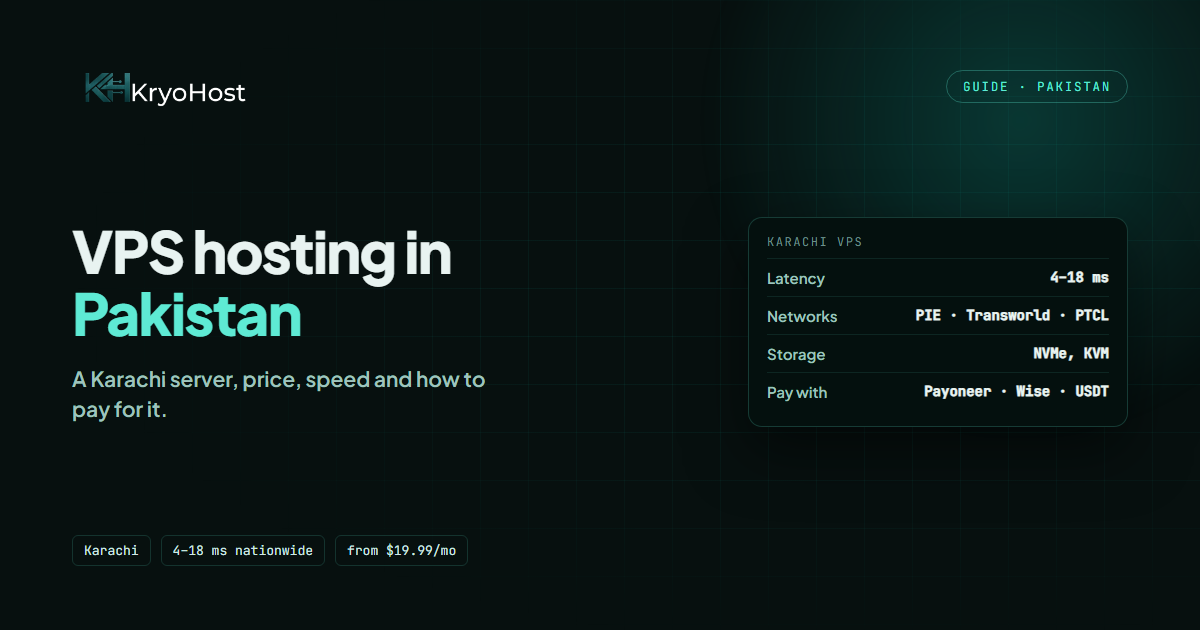
Every request your visitor makes has to physically travel to your server and back, and nothing in the plan shortens that trip. A request from Karachi to a server in Texas crosses roughly 13,000 kilometres each way — in practice a couple of hundred milliseconds round trip before your site has done a single thing. The same request to a server in Karachi takes 4–18 milliseconds from anywhere in the country.
That is a difference you cannot buy with more cores. A 2 GB VPS near your audience will routinely feel faster than a 16 GB one on another continent, and it feeds directly into Largest Contentful Paint, one of the Core Web Vitals Google uses as a ranking signal.
So choose the country first and the specification second. We run VPS in over forty locations, including Dubai, Riyadh, Frankfurt, London, Singapore, Mumbai, Dallas and New York — and Karachi for a Pakistani audience.
Is a VPS less secure because I manage it?
It is more isolated and less forgiving — two things people tend to merge into one.
On shared hosting, a neglected site belonging to a stranger on the same server is a risk to you, however carefully you behave. On a VPS, nobody else can reach your filesystem at all. That is a real and structural gain.
But the firewall, the SSH configuration and the security updates are now your responsibility, and an unpatched VPS is genuinely more exposed than a well-run shared account. The good news is that the work is small and mostly one-off: key-based SSH, a firewall and Fail2Ban take about twenty minutes on day one, and every one of those steps is in our VPS setup guide. After that it is a few minutes a month — or close to zero if you take our managed option.
Moving from shared hosting to a VPS without downtime
The migration frightens people more than it should. Done in this order, visitors see nothing at all.
- Build the new server first. Order the VPS, install the stack, and get it working while the live site carries on untouched on shared hosting.
- Copy the site across and test it on the VPS using your computer's hosts file, so you are looking at the real new server on the real domain before the world is.
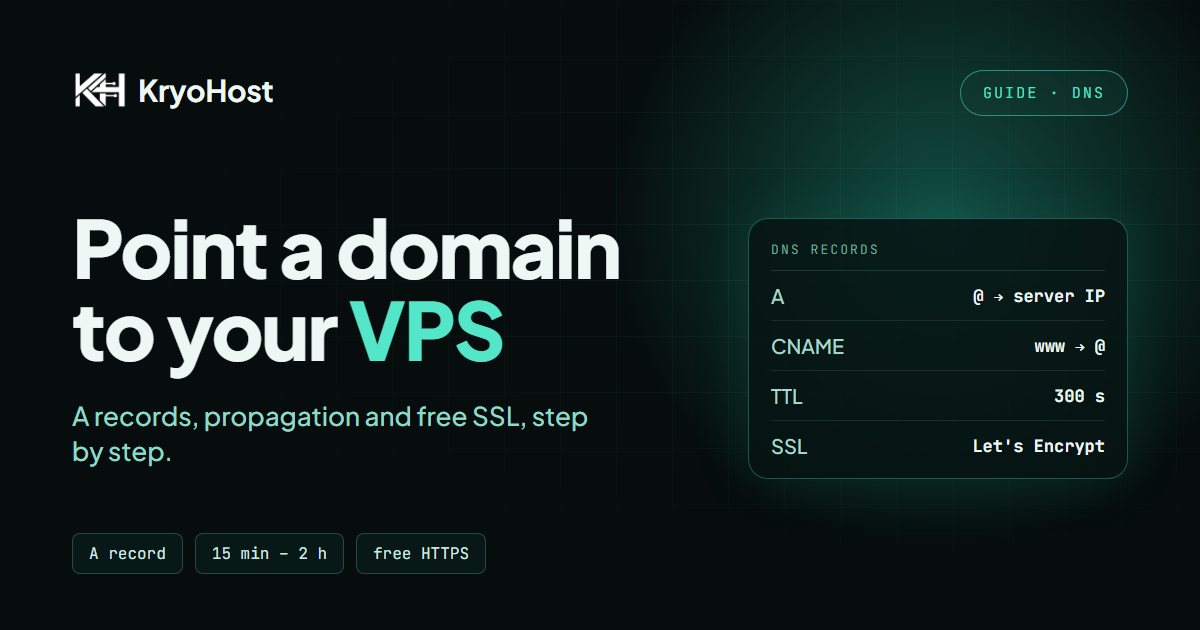
- Lower your DNS TTL to 300 seconds a day beforehand. This single step is the difference between a two-day changeover and a five-minute one.
- Freeze changes — no new orders, posts or uploads for the few minutes of the switch.
- Sync the database one final time, so nothing from the last hour is lost.
- Point the DNS at the new IP. With a low TTL, most visitors follow within minutes.
- Keep the old account for two weeks. It costs a few dollars and it is the only undo button you have.
If you would rather not do it yourself, we migrate sites to our VPS plans free of charge — tell us what you are running and we will quote a window.
Three myths worth killing
"A VPS is always faster than shared hosting"
No. A badly configured VPS is comfortably slower than good shared hosting, and it happens more often than anyone selling VPS likes to admit. A VPS gives you the ability to be faster — through caching, your own tuning and the right location. It does not hand it to you on delivery.
"VPS hosting requires a systems administrator"
It requires an afternoon. The commands are public, the stack has not fundamentally changed in a decade, and a control panel covers the rest if you want one. What it genuinely requires is somebody who will log in occasionally — that is the real commitment, not the expertise.
"I will move when I get traffic"
The traffic is exactly when you cannot afford to move. Migrations are calm when nothing is happening and miserable during a campaign. If you can see the ceiling from where you are, move before you reach it.
Frequently asked questions
What is the real difference between VPS and shared hosting?
Shared hosting gives you a capped slice of a machine's resources alongside hundreds of other sites, managed entirely by the host. A VPS gives you reserved CPU, RAM and disk that nobody else can touch, plus root access to install and configure anything you like. Shared is rented space; a VPS is a rented machine.
Is a VPS worth it for WordPress?
For a blog under about 20,000 visits a month, no — shared or WordPress hosting is the better value. For WooCommerce, a membership site, or a blog with real traffic, yes: uncacheable pages hit PHP directly and that is precisely where shared hosting runs out.
How much traffic can shared hosting handle?
Roughly 20,000–30,000 monthly visits for a reasonably built WordPress site with caching. The honest answer is that it depends far more on how heavy each page is than on the visitor count — a lean blog handles far more, a page-builder site with forty plugins far less.
Can I run multiple websites on one VPS?
Yes, and it is one of the better reasons to have one. Each site gets its own folder, database, server block and SSL certificate. On 4 GB of RAM, three or four modest sites sit together comfortably.
Do I need technical knowledge for a VPS?
For an unmanaged VPS, enough to follow a guide and use SSH — most people learn it in an afternoon. With our managed option, none at all: we handle patching, monitoring and hardening, and you can ask us for a quote.
Is a VPS cheaper than a dedicated server?
Considerably — usually five to ten times cheaper for comparable performance on typical web workloads, because you are sharing the physical hardware's cost without sharing its allocated resources. A dedicated server only wins when you genuinely need the entire machine.
Will moving to a VPS improve my SEO?
Indirectly, and sometimes substantially. Google measures real loading speed through Core Web Vitals, and how quickly your server starts to respond feeds straight into them. A VPS in the right country with caching configured properly improves Time to First Byte in a way no plugin can. It will not help a site that is slow for other reasons.
What happens if I outgrow my VPS?
You upgrade within the same product family and it is applied in place, taking effect within minutes and billed pro-rata against your remaining term — no migration at all. That is the other thing shared hosting cannot do.
Can I get a VPS in Pakistan?
Yes. We run VPS in Karachi, which for a Pakistani audience is the single biggest speed improvement available — latency drops from a couple of hundred milliseconds to 4–18 ms compared with a US server.
Do I get a dedicated IP with a VPS?
Yes, every VPS includes its own dedicated IPv4 address. Your email reputation and your SEO are entirely your own.
So which one should you buy?
Buy shared hosting if you are starting out, if the site is a blog or a brochure, if nobody on your side wants to think about servers, and if the money the site makes is currently zero. Start at $0.99/mo and move when the symptoms above appear — not before.
Buy a VPS if you are selling something, if you have seen a 508 error, if you need software the panel will not install, if your audience is far from your current data centre, or if an hour of downtime costs you more than a month of hosting. Start from $14.99/mo, pick the location closest to your visitors, and size it one tier below your ambitions.
And if you are genuinely unsure — which is a reasonable place to be — tell us what you are running and how much traffic it gets. We will tell you honestly if shared hosting still fits, because selling someone a VPS they do not need is how you lose them twice.
Ready to move? Browse our Cloud VPS plans — deployed in about 60 seconds, in over forty locations, with free migration from your current host.

 Germany
 Netherlands
 United Kingdom
 France
 Poland
 Spain
Spain Sweden
 Bulgaria
 Greece
 Romania
 Turkey
 Russia
 Pakistan
 India
India Singapore
 United Arab Emirates
 Saudi Arabia
 Japan
Japan South Korea
 China
China Indonesia
 Malaysia
 Thailand
 Vietnam
 Philippines
 Bangladesh
 Nepal
Nepal Israel
 Qatar
Qatar Kuwait
 Bahrain
 Oman
Oman Iraq
Iraq Cambodia
 Myanmar
 United States
 Canada
 Mexico
 Argentina
 Brazil
 Chile
Chile Colombia
 Peru
Peru Ecuador
 South Africa
 Egypt
Egypt Australia